App tutorials · Lesson 4 of 10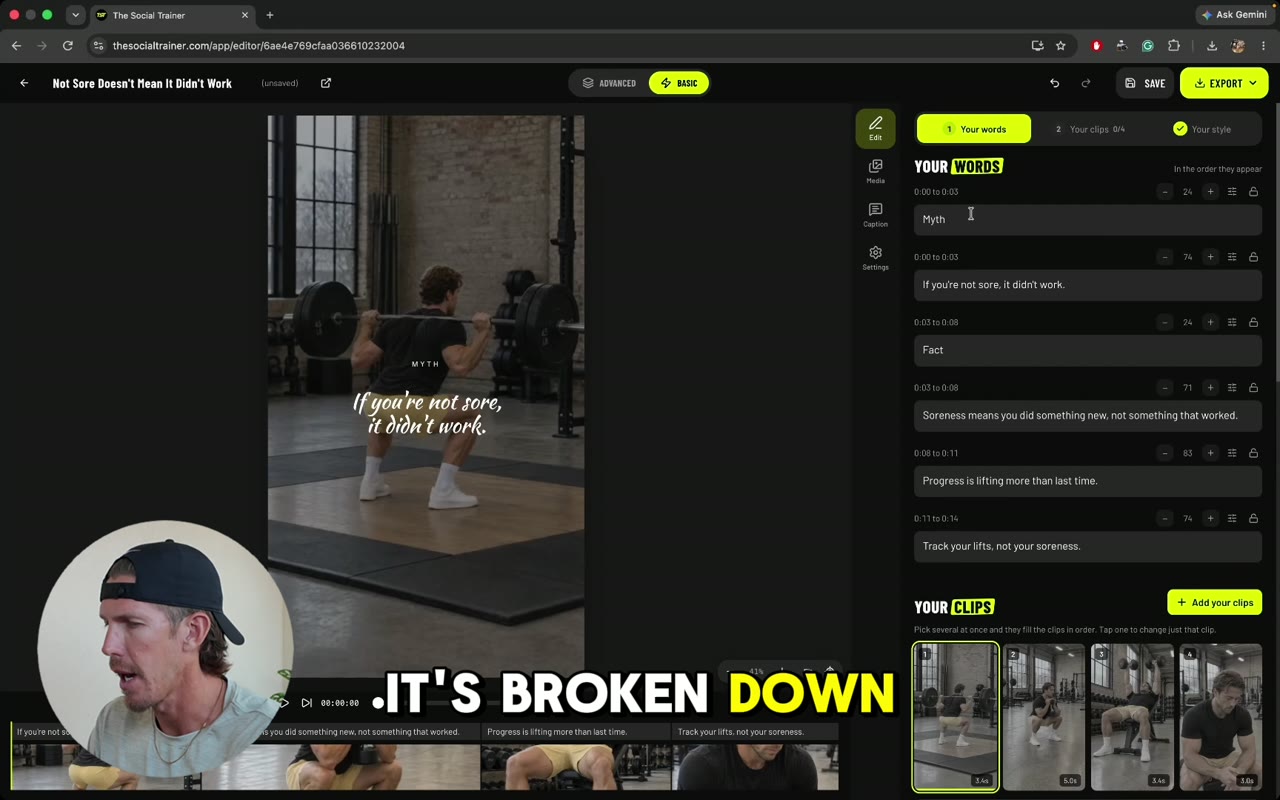 Next · 4:20The Reel Editor
Authority posts
Authority posts put your drills and exercises into proven layouts that show your expertise. Learn to set your topic, add clips, line up reps and schedule.
In this video
Step by step
- 1Pick your font, then write your topic into the headline.
- 2Use Add your clips to pick every clip at once. Their titles fill in for you.
- 3Hover over a clip in My Media to preview the drill before you pick it.
- 4Play the post and trim each clip so it shows full reps and nothing from the next one.
- 5Add sets and reps to each drill’s text.
- 6Use Advanced to fix spacing or line up clip lengths.
- 7Save, or export to download, schedule with auto-publish, or get an email reminder.
Tips from Kyle
- Watch each clip through and trim it so you never show half a rep.
- You don’t need to type exercise names. A clip from My Media brings its title with it.
- Reuse a template for other topics in your niche. Kyle’s example: passing, hitting, setting and defense.
Next · 4:20The Reel Editor